The Local Version of Wispr Flow
100% local, offline voice dictation for Mac.
Your voice stays on your Mac.
Unlike Wispr Flow, Onit doesn't use any remote servers, so you can dictate your thoughts freely with peace of mind.
With keyboard
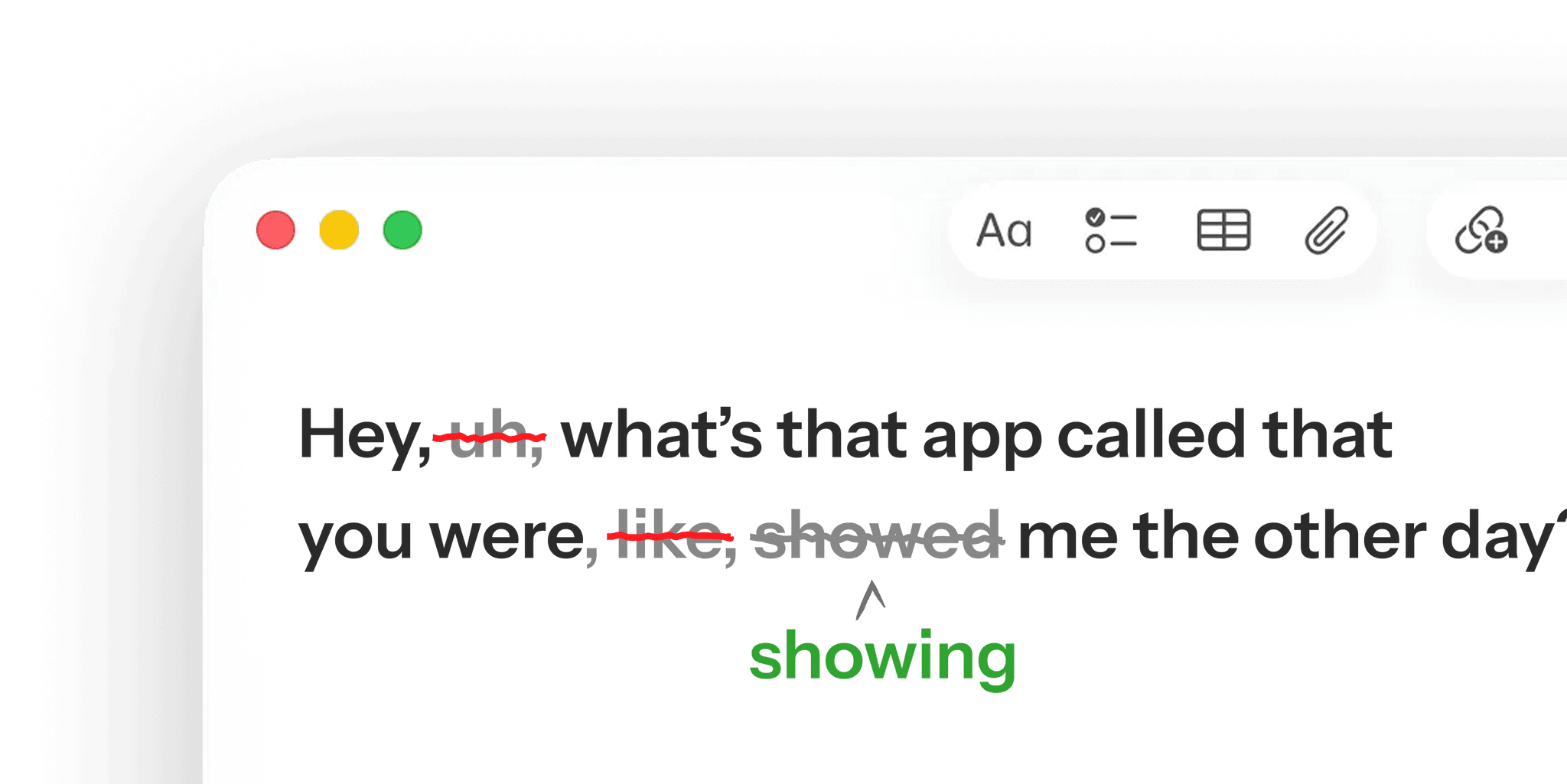
With Onit Dictation
How it works:
Hold your shortcut
Speak naturally
Get perfect text
Highlights
100% Local
Your voice never leaves your Mac
AI Auto Edits
Cleans up your text before inserting
Works Everywhere
Dictate into any app



Offline Mode
No internet needed
Add-on
One-click smart improvements.
Onit comes with QuickEdit, our smart writing assistant that improves your messy transcripts with a single click!
Learn more
Note: This tool uses remote processing. It's a completely optional feature and you can choose to turn it on/off any time.
Feature
Dictation that gets better and better.
Transcription not quite right? Easily correct it. Each correction helps Onit understand your voice and improve over time, all privately on your Mac.
Questions & answers.
Does it send my voice to the cloud?
Nope! We take pride in that Onit's Voice Dictation is fully local. However, if you choose to use QuickEdit, some remote processing is invovled.
How is Onit different to Wispr Flow, SuperWhisper or Willow Voice?
Onit Dictate runs entirely on-device, so we made it free. No servers, no subscription, completely free!
How is Onit different to Mac's native dictation?
Transcripts in Onit get processed by a local AI model to remove unwanted filler words like "um" or "like". Onit can also correct grammar mistakes and improves over time to learn your unique vocabulary!
Do I need an account?
Yes, signup is required! You can choose between Google Signup or Email + Magic Link.
Where can I use Onit Voice Dictation?
Anywhere on your Mac! That includes all your apps and websites.
Is there a dictation shortcut?
Yes we've set up a universal hotkey for Onit dictation. It's CapsLock by default but you can change it to anything you'd like!
Can I hide the handle at the edge of my screen?
Absolutely! The handle is there as a reminder of how to launch Onit, but feel free to hide it in Settings once you've memorized the shortcut.
Does Onit come in dark and light mode?
Yes, you can choose your preference in Settings :)

Start dictating — 100% locally!
Your voice is yours. Get fast and private voice-to-text for your Mac.